

Apple forgot the Ethernet icon. We brought it back.
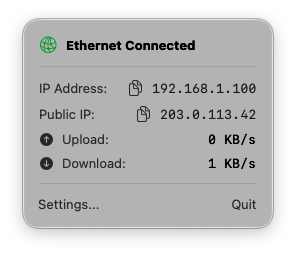
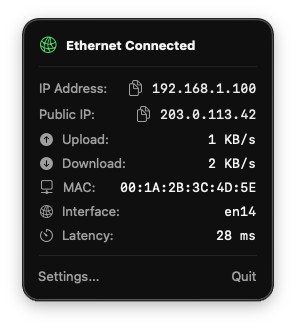
Instantly view your physical LAN status, local IP, and active network speeds right from the menu bar without digging through System Settings. Built natively for maximum speed, security, and zero battery drain.

Authentically Native
Flawless Light and Dark Mode integration feels directly built into macOS.
Fully customizable: easily show or hide specific metrics to tailor the menu exactly to your liking.
Everything you need, for free.
The core app is permanently free and amazing. But if you're a power user,
unlock these 4 advanced features with a single, one-time upgrade of $3.99.
VPN Detection
Instantly know if your traffic is securely routed via utun.
DNS Latency
Live ping monitoring ensures your connection is responsive.
Public IP Visibility
Quickly view and copy your true external IP address.
Menu Bar Styles
Personalize the menu bar with dynamic, pro-only icon variants.
© 2026 Ethernet Menu Monitor. All rights reserved.